07
Settings &
troubleshooting.
Find the setting, fix the issue, know when to escalate.
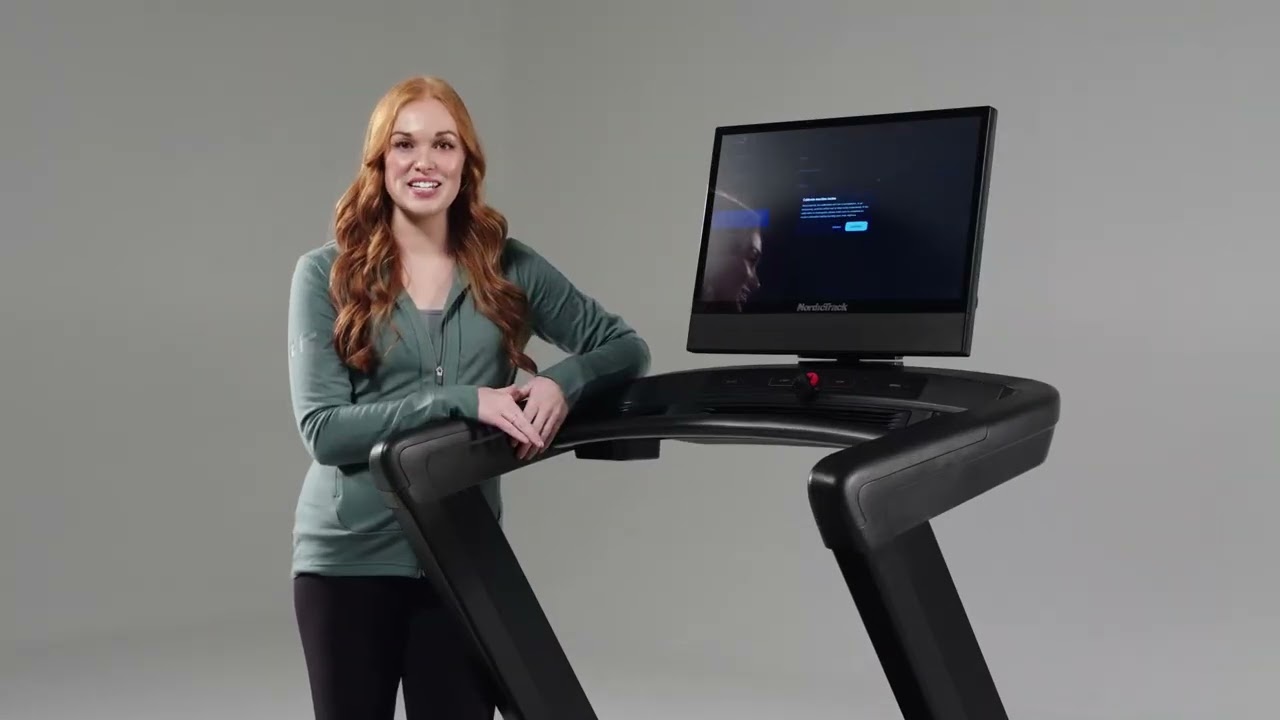
Navigate the settings menu — account, equipment, translations.
Identify the equipment generation from the console.
Resolve the most common in-store issues without escalating.
Know when to escalate vs run a pinhole reset.
Use the CS Help Menu for deep troubleshooting.
Quick map
of the menu.
General: account, profile, preferences.
Equipment: generation, software updates, calibration.
Membership: plan, billing, profiles.
Connected Apps: Apple Health, Garmin, Strava (mobile app).
Translations: UI translations across all four platforms; AI translations are iFIT 1.0 + 2.0 Glass only.
Identify the platform
first.
Before recommending any feature, check what generation the customer is on. The "what works on my machine?" sheet lives one tap away.
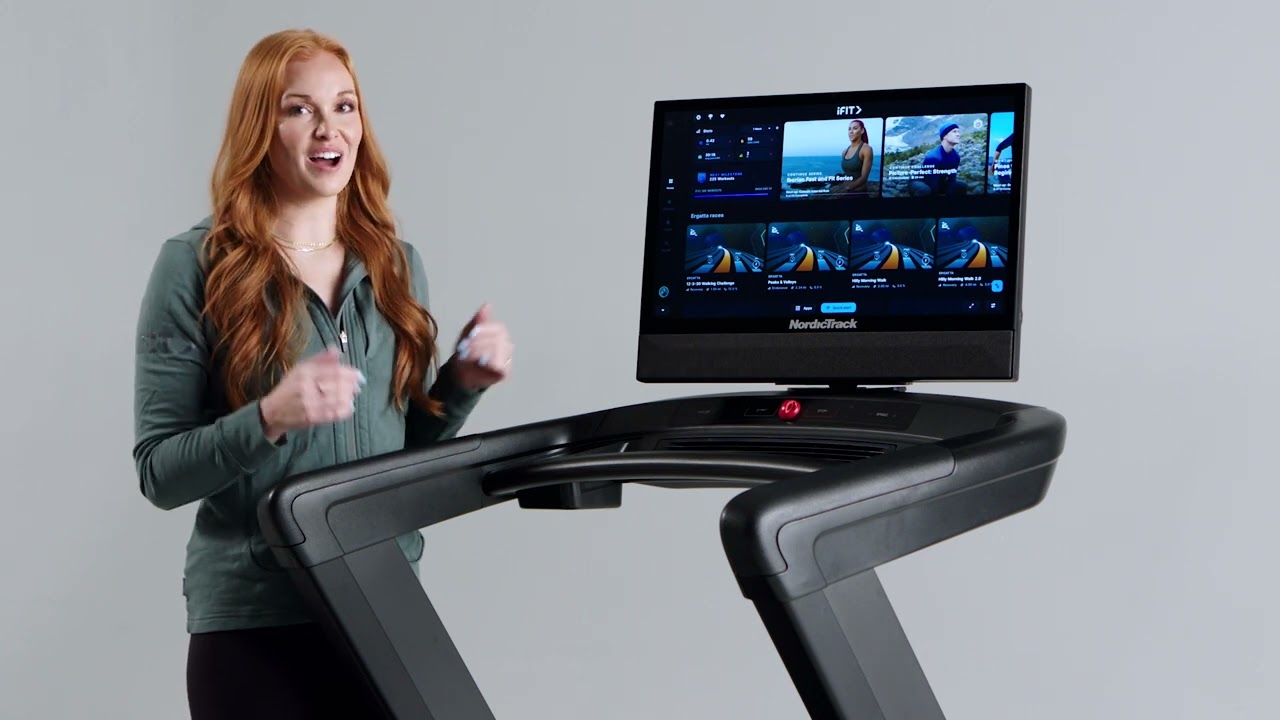
generation Settings → Equipment → About → Generation.
Check generation —
what to remember.
01
- 01
Path: Settings → Equipment → About → Generation.
- 02
The Generation field shows your equipment's generation number.
- 03
Tap the field to open a sheet listing every feature the machine is and isn't eligible for.
- 04
Use this before recommending an upgrade so you know what the customer can and can't get today.
When the incline
feels off.
Calibration runs the treadmill to its lowest decline and highest incline. It re-zeros the range. Don't stand on it while it does.
incline Settings → Equipment → Calibrate.
Calibrate incline —
what to remember.
02
- 01
Path: Settings → Equipment → Calibrate.
- 02
Treadmill auto-runs to lowest decline and highest incline to reset its range.
- 03
Don't stand on the belt during calibration.
- 04
Pro tip: always return to 0% incline before powering off so the machine stays calibrated.
First step before
deeper troubleshooting.
A surprising amount of "this is broken" gets fixed by an update cycle. Always run this first, before pinhole or report.
updates Settings → Equipment → Software Updates.
Check for updates —
what to remember.
03
- 01
Path: Settings → Equipment → Software Updates.
- 02
Tap "Software Updates" if one is available.
- 03
May need to run the update cycle multiple times until it shows up-to-date.
- 04
Solves a surprising number of issues — do this before escalating.
For a stuck or
unresponsive console.
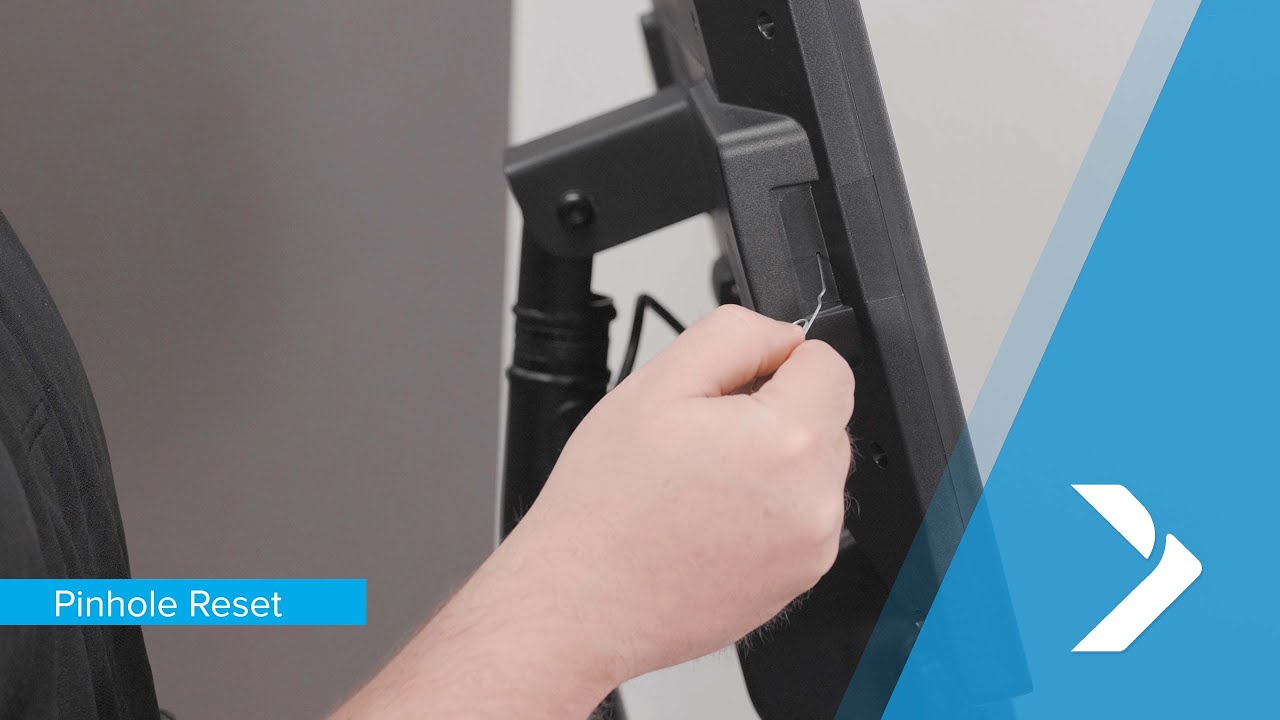
Last resort before reporting hardware. Use only when the console can't reach the update screen and a normal reboot didn't help.
reset Pinhole on the console (location varies by machine).
Pinhole reset —
what to remember.
04
- 01
For when the console is stuck or unresponsive and software updates can't be reached.
- 02
Use the pinhole on the console (location varies by machine).
- 03
Always try Check for Updates and a normal reboot first.
How a customer flags
a problem from the equipment.
Built-in form for reporting hardware or software issues. Fills out contact info so support can reach back proactively.
an issue Settings → Support → Report an Issue.
Report an issue —
what to remember.
05
- 01
Path: Settings → Support → Report an Issue.
- 02
Fill out the form with problem details and contact info.
- 03
The support team can then reach out proactively.
CS Help Menu,
step by step.
- 01
From the dashboard, tap the three lines (top-left).
- 02
Tap Settings, then Equipment Info, then Machine Info.
- 03
Tap the Console UUID string five times to open the iFit Admin app (ERU).
- 04
Use the bottom buttons — Clear Update Files, Clear Cache, Check for Updates — to update Admin/Cardio apps and OS.
- 05
Tap CS Help (bottom-right) to open the troubleshooting page.
- 06
This replaces the old Privileged Mode for most CS issues.
Six things
to remember.
01
Generation first
Settings → Equipment → About → Generation. Always check before pitching features.
02
Updates fix it
Most issues clear after running update cycles to "Up to date".
03
Calibrate = empty belt
Don't stand on it. Return to 0% before powering off.
04
Pinhole = last resort
Only when the console is stuck and updates can't reach.
05
5 taps to ERU
Tap Console UUID five times to open the iFit Admin app.
06
CS Help replaces PM
CS Help Menu now replaces the old Privileged Mode.
Take the quiz
to complete the module.
Pass at 80% to mark Module 07 complete. Use your work email — that's how completion gets credited to you.
Open Module 07 quiz