06
Apps, music
& streaming.
Multi-app on the equipment, explained.
Manage installed apps — install, update, remove.
Run music in workout — both iFIT-provided and personal.
Explain the multi-app experience — Ergatta racing and PiP streaming.
Know which platforms support which apps.
Install, update,
and remove apps.
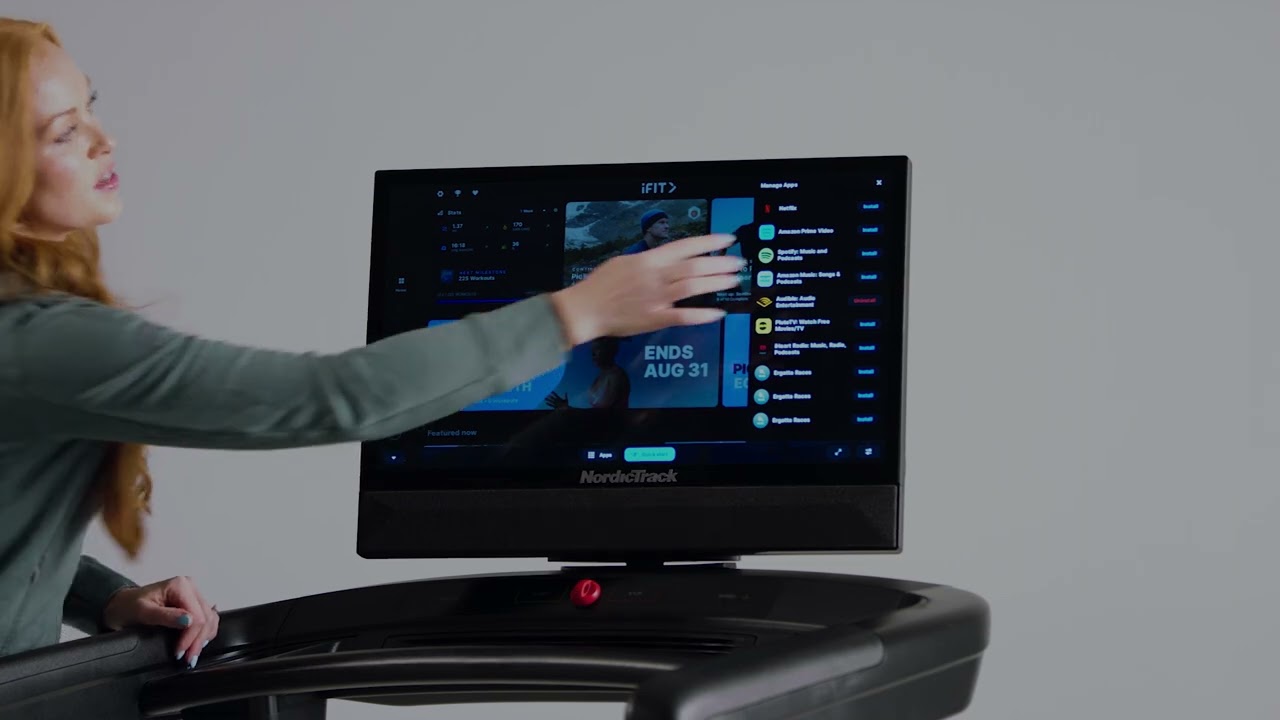
Customers want to know how to add Spotify or Netflix the first time. Show them where to manage everything that's installed.
management Menu → Manage Apps.
App management —
what to remember.
01
- 01
Path: Menu → Manage Apps.
- 02
Install new apps or uninstall apps to free up space.
- 03
Wait for installs to finish before exiting the menu.
- 04
Launch installed apps from the app tray on the home screen.
iFIT-provided music
or your own.
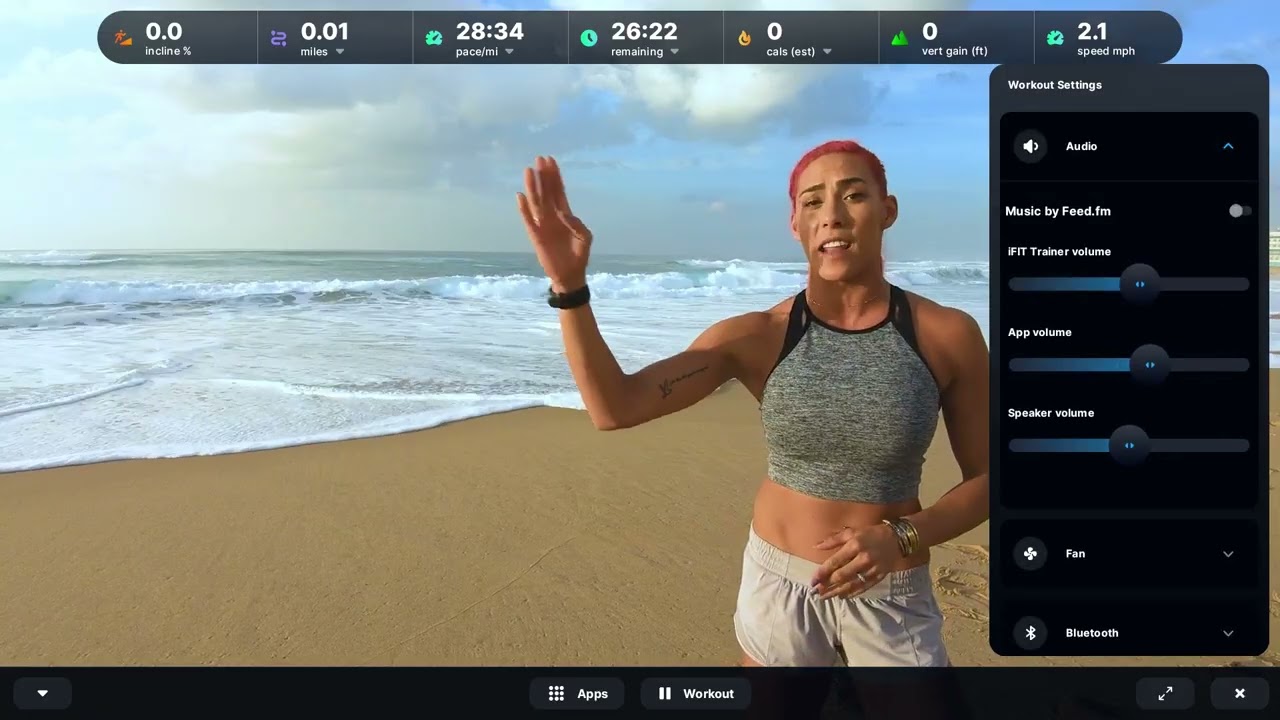
Two paths: built-in stations through Feed.fm, or the customer's own music app. Both deserve a demo.
workout Workout Settings → Audio · or open a music app.
Music in workout —
what to remember.
02
- 01
iFIT-provided: Workout Settings → Audio → toggle "Music by Feed.fm" → pick a station.
- 02
Personal music: open the app menu and launch a music app (Spotify, etc.).
- 03
Note: Spotify is iFIT 2.0 Glass only.
- 04
Pause / skip songs in workout.
- 05
The music widget can be hidden or shown via Workout Settings.
Multi-app racing
on the treadmill.
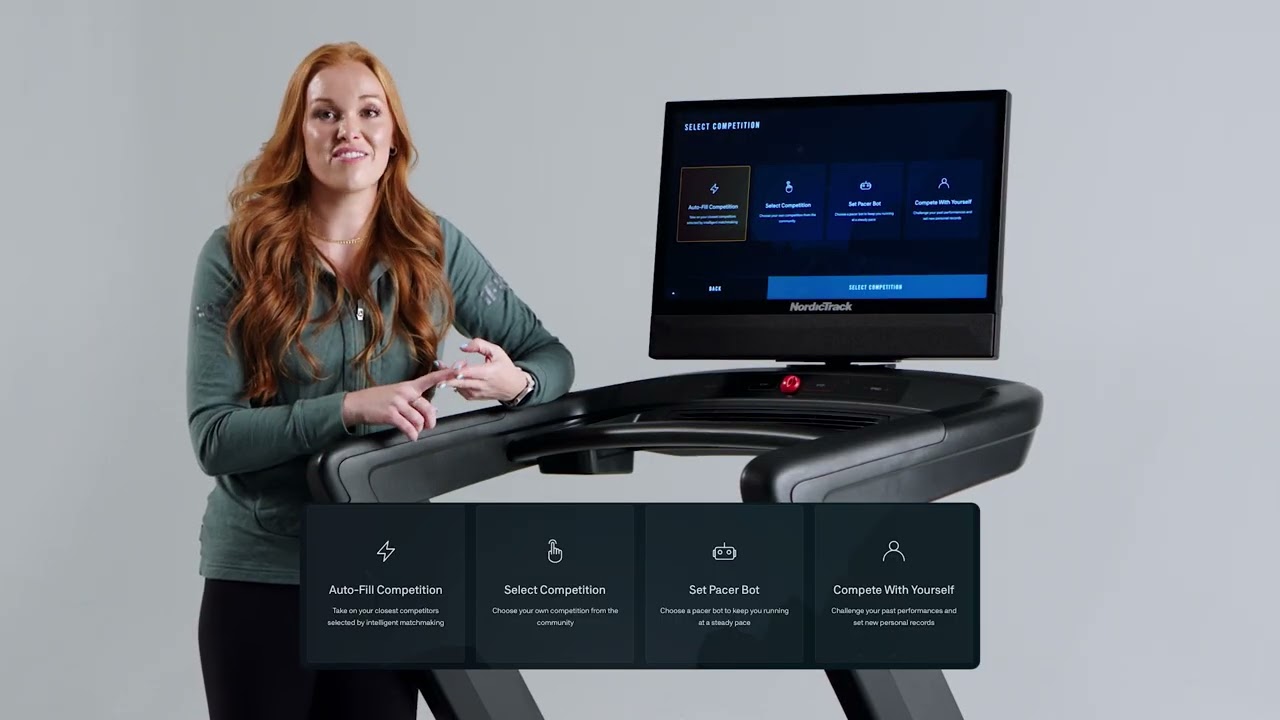
Ergatta turns the treadmill into a race. The matchmaking is the magic — and it ties straight into the customer's typical mile time.
Ergatta —
what to remember.
03
- 01
Install via Manage Apps; first run includes a tutorial.
- 02
Set typical mile time so matchmaking pairs you against similar fitness levels.
- 03
Four race modes: Auto-Fill, Select Competition, Set Pacer Bot, Compete With Yourself.
- 04
Ergatta automatically controls treadmill belt speed during a race.
Netflix & Prime,
picture-in-picture.
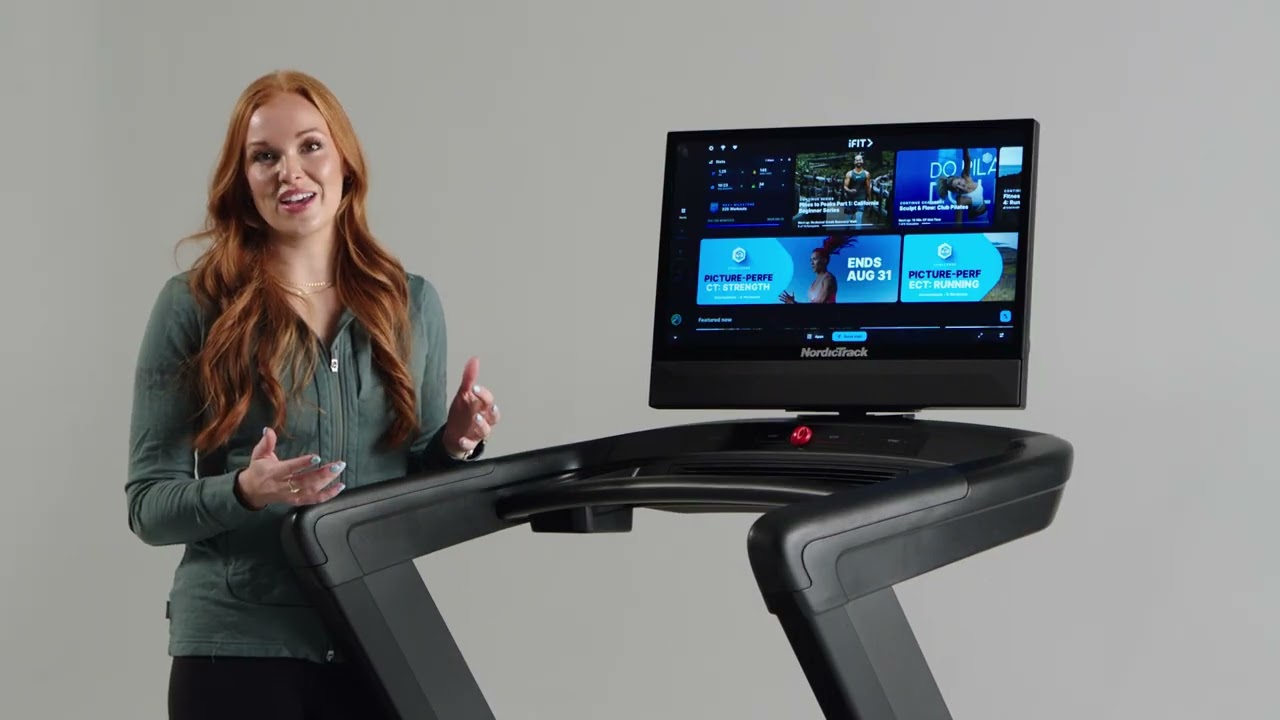
The "watch a show while you train" pitch. PiP keeps trainer audio AND the show audible. This is the demo that closes treadmill sales.
Streaming —
what to remember.
04
- 01
Install streaming apps via Manage Apps.
- 02
Picture-in-picture: combine a streaming app with manual or guided iFIT workout.
- 03
Audio mix: control levels for show vs trainer.
- 04
Pair streaming with a saved custom workout — machine adjusts speed/incline while the show plays.
- 05
Netflix and Amazon Prime are iFIT 2.0 Glass only.
Five things
to remember.
01
Manage Apps
Menu → Manage Apps. Install, update, uninstall.
02
Music = two paths
Feed.fm built in, or personal music apps from the app menu.
03
2.0 Glass only
Spotify, Netflix, Amazon Prime — all 2.0 Glass exclusive.
04
Ergatta belt
Race mode auto-controls treadmill belt speed for you.
05
PiP + custom
Pair a stream with a saved custom workout for hands-off cinema.
Take the quiz
to complete the module.
Pass at 80% to mark Module 06 complete. Use your work email — that's how completion gets credited to you.
Open Module 06 quiz